How to Use Instagram's New Reference Reels Feature in 2026
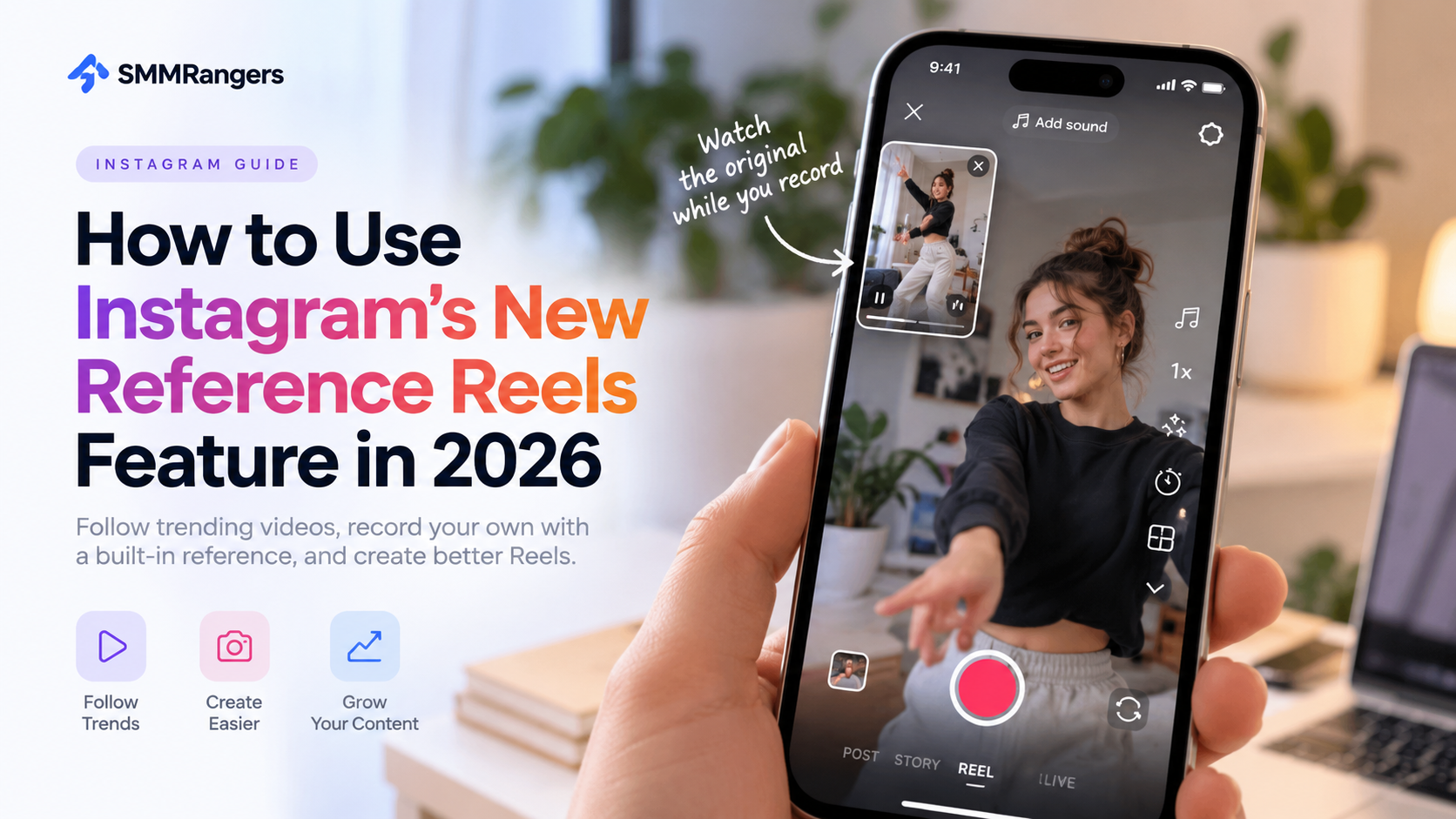
Instagram has introduced a new feature that makes recreating trending Reels easier than ever. Called “Use as reference,” this tool allows you to watch another Reel while recording your own video, without switching between screens or memorizing every movement.
Whether you're trying a viral dance, creating a funny response video, or following a popular transition trend, Instagram's new Reference Reels feature can simplify the process.
Here's everything you need to know about how it works, where to find it, and how to use it to create better Instagram content in 2026.
What Is Instagram's New “Use as Reference” Feature?
Introduced in October 2026, Instagram's Use as reference feature lets creators display an existing Reel in a small window while recording a new video.
Instead of repeatedly watching a trending video and trying to remember its timing, you can keep the original visible inside Instagram's camera.
The feature includes several useful capabilities:
Movable reference window: Position the original Reel anywhere on your recording screen.
Pause and replay: Review specific movements or transitions as many times as needed.
Recording countdown: Prepare your timing before recording.
Easy trend participation: Create your own version of popular video formats without constantly switching between apps.
The reference video must be shorter than 90 seconds.
As of October 19, 2026, the feature is available on Instagram for iOS. Android availability has not yet been confirmed.
How to Use Reference Reels on Instagram: Step-by-Step
Getting started takes only a few steps.
Step 1: Find a Reel You Want to Recreate
Open Instagram and browse Reels until you find a video you'd like to use as inspiration.
Choose a Reel shorter than 90 seconds.
You might select a trending dance, a funny reaction format, a transition tutorial, or a creative product demonstration.
Step 2: Tap the Three-Dot Menu
Open the Reel and tap the three-dot menu.
Look for the option labeled “Use as reference.”
If the option isn't visible, your device or account may not have access to the feature yet.
Step 3: Open the Reference Window
After selecting the feature, Instagram opens its recording camera with the original Reel displayed in a smaller window.
You can move this window to avoid blocking your face or the main recording area.
Step 4: Practice Your Timing
Play, pause, and replay the reference video to understand its movements and transitions.
This is particularly helpful for videos that require precise timing.
Step 5: Record Your Own Reel
Use the countdown feature to prepare your recording.
Follow the reference video while adding your own personality, creative ideas, or unique perspective.
Once you've finished recording, review and edit your video before publishing.
Why Is Instagram Introducing Reference Reels?
Short-form video trends often depend on timing, recognizable formats, and creative participation.
However, recreating a trending video isn't always simple.
Creators frequently need to watch the original multiple times, memorize transitions, or use another device as a visual guide.
Reference Reels reduces some of that friction.
For individual creators, this means less time preparing and more time experimenting with content.
For small businesses, it can make popular video formats easier to adapt for product demonstrations, behind-the-scenes videos, and promotional content.
For social media managers, the feature offers another practical tool for creating short-form videos.
Importantly, Instagram has not announced that using Reference Reels automatically improves reach or algorithmic rankings.
The benefit is primarily in the content creation process.
Does Using Reference Reels Help You Get More Views?
Not automatically.
The Reference Reels feature is a recording tool, not a guaranteed Instagram growth strategy.
Using it doesn't mean your video will appear on the Explore page or receive more views.
However, it may help you produce content that is better timed, easier to follow, and more engaging.
If you want to improve your Instagram Reels performance, focus on several important elements.
1. Make the First Few Seconds Interesting
Give viewers a reason to continue watching.
Start with an interesting visual, a clear question, or an unexpected moment.
2. Add Your Own Creative Perspective
Instead of copying a popular video exactly, adapt the format to your personality or niche.
For example, a fitness creator might adapt a trending transition into a workout demonstration.
A small business could use the same format to introduce a new product.
3. Keep Your Videos Easy to Understand
Use clear visuals, readable captions, and appropriate pacing.
Your audience should understand what the video is about without unnecessary confusion.
4. Pay Attention to Your Instagram Insights
Review available metrics such as views, watch time, shares, saves, and interactions.
Look for patterns across several videos instead of judging your strategy from a single Reel.
5. Test Different Content Formats
Experiment with tutorials, reactions, educational clips, and trending formats.
Reference Reels can make some of these experiments easier to produce.
Reference Reels vs. Instagram Remix: What's the Difference?
Although the two features may sound similar, they serve different purposes.
Instagram Reference Reels lets you watch an existing video while recording your own. The original video acts as a visual guide during creation.
Instagram Remix is designed to create content that incorporates or responds to another creator's content in the resulting video.
If you want to follow the timing of a dance or transition, Reference Reels may be more useful.
If you want viewers to see your response alongside or in connection with the original content, Remix may be the better option.
The right choice depends on the type of video you're creating.
Why Can't I Find “Use as Reference” on Instagram?
If you don't see the new feature, there are several possible explanations.
You're using an Android device.
At launch, Reference Reels was available on iOS. Android users may need to wait for wider availability.
Your Instagram app needs updating.
Check whether a newer version of Instagram is available.
The Reel is too long.
The feature is designed for reference videos shorter than 90 seconds.
The feature hasn't reached your account.
New Instagram tools may become available gradually, so not every account necessarily receives access at the same time.
If you meet the requirements but still cannot find the option, check again after updating the app.
How Can Small Instagram Creators Use This Feature?
You don't need a large following to benefit from easier content creation.
For smaller accounts, the biggest challenge is often maintaining a consistent posting routine while finding ideas that resonate with their audience.
Reference Reels can help simplify part of that process.
Here are a few practical examples:
Lifestyle creators: Adapt trending transitions to daily routines, fashion, or personal experiences.
Small businesses: Turn popular video formats into product showcases or behind-the-scenes content.
Fitness creators: Follow movement sequences while demonstrating exercises.
Food creators: Recreate recipe transitions or preparation techniques with their own ingredients.
Educational creators: Use recognizable short-form formats to explain useful information.
The goal isn't to reproduce someone else's content without adding value.
It's to use existing trends as inspiration for something relevant to your own audience.
How to Build a Better Instagram Growth Strategy in 2026
New Instagram features can make content creation easier, but sustainable growth requires more than access to editing tools.
Start by understanding your target audience and identifying the content they find useful or entertaining.
Build a consistent posting schedule that you can realistically maintain.
Pay attention to your Instagram analytics, test different creative approaches, and adjust your strategy based on results.
You should also distinguish between different performance metrics.
Views indicate how often content has been viewed under Instagram's reporting rules. Likes, comments, shares, and saves reflect different types of audience interaction.
None of these metrics alone tells the complete story of an account's growth.
At SMMRangers, we provide social media marketing services, including Instagram-related engagement and visibility services.
Creators, businesses, and resellers can explore available service options while developing their broader social media strategies.
However, third-party engagement services do not guarantee organic reach, algorithmic promotion, or long-term audience growth. They should not replace original content, authentic audience relationships, or careful performance analysis.
Frequently Asked Questions
Is Instagram's Reference Reels feature free?
The feature has been introduced as part of Instagram's built-in Reels creation tools, with no separate purchase requirement announced.
Can I use Reference Reels on Android?
At the time of the October 2026 launch, the feature was available on iOS. An Android release date had not been confirmed.
Can I use any Instagram Reel as a reference?
The feature supports Reels shorter than 90 seconds. Availability may also depend on the video and your account.
Does the original Reel appear in my finished video?
Reference Reels is designed to provide an on-screen guide during recording. It is not the same as publishing a Remix containing the original video.
Will Reference Reels make my video go viral?
No. Instagram has not announced any ranking advantage for videos created using this feature.
Can businesses use Reference Reels?
Businesses can use the feature to experiment with creative formats, provided it is available on their account. They should also respect intellectual property and music licensing requirements.
Final Thoughts
Instagram's new Reference Reels feature is a practical addition for creators who want to participate in trends without complicated recording setups.
By displaying an existing Reel inside the camera, Instagram makes it easier to practice transitions, match timing, and create original responses to popular formats.
But creating a successful Reel still depends on your ideas, your audience, and the value your content provides.
Use new tools to simplify production, experiment with different formats, and keep improving based on what your audience actually enjoys.
Want to explore more social media marketing resources and services? Visit SMMRangers and discover the available options for Instagram, TikTok, YouTube, and more.