Updated: November 20, 2026
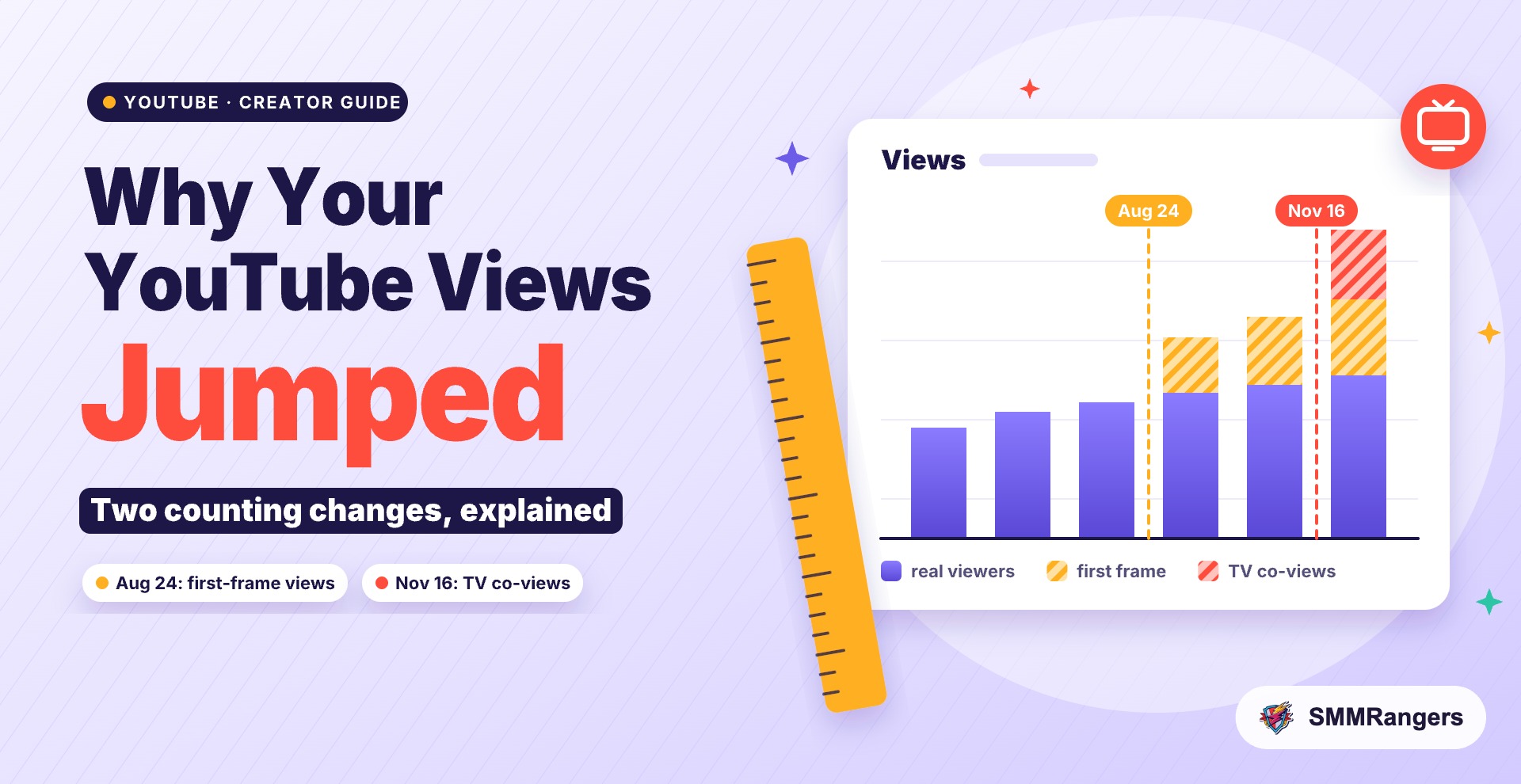
If your YouTube view counts climbed this month while subscribers, comments and watch duration stayed about the same, you are not imagining it. YouTube has changed how public views are counted twice since August. On November 16, 2026, it started adding an estimate of people watching together on a TV to the public counter. On August 24, it started counting a view from the very first frame of playback. Both make the number under your video bigger without any extra real attention.
Here is what each change does, how to check whether your channel actually grew, and what it means for monetization and brand deals.
Change 1: TV co-viewers are now in your public view count
Until recently, one TV playing your video counted as one view, even if three people were on the sofa. YouTube now estimates how many people were watching together on a TV screen and adds those extra people to the public view count. YouTube calls them co-views. The change was announced on November 16 and applies to long-form videos, Shorts and live streams (Net Influencer).
A few details matter for creators:
- Only TV screens are affected. Views on phones, computers and tablets still count once each.
- Watch time and live concurrent viewers include co-views too. So your watch time total and the live viewer counter can also look higher.
- Engaged views and unique viewers do not include co-views (PPC Land).
- Impressions, click-through rate and average view duration are not affected, according to YouTube's Creator Insider channel as reported by Net Influencer.
- It is an estimate. YouTube says the model uses demographic patterns, content metadata and viewing times, and that it never uses cameras, microphones or device sensors. It has not published a margin of error.
Before this, co-views were a private number. In September YouTube added "Views (Co-viewed)" to Analytics, which only the channel owner could see (PPC Land). Now the estimate is part of the count everyone sees.
Change 2: a view now counts from the first frame
The first jump many creators noticed came earlier. Since August 24, 2026, YouTube counts a public view the moment a video starts to play, on long-form videos and live streams as well as Shorts (PPC Land). Shorts had already worked this way since March 2025. Before August, a long-form video needed some watch time before the counter moved. YouTube never published the exact threshold, though it was widely believed to be around 30 seconds.
That means autoplay on the Home feed, a quick preview, or someone who leaves after two seconds can now add a view. Older totals were not recalculated, so videos uploaded before August were counted under stricter rules than the ones you upload today.
How to tell if your channel actually grew
The public counter is now a looser signal, so judge growth by numbers that did not change. Start with these four checks.
1. Find your co-view rate
In YouTube Studio, open Insights (YouTube renamed the Analytics section on November 13), switch to Advanced Mode and look under Device type for "Co-view rate." YouTube Help says you can divide your total views by this rate to get a baseline without co-viewers (Relevant Audience).
For example, with made-up numbers: if a video shows 22,000 views and your co-view rate is 1.10, your baseline is about 20,000 views. If most of your audience watches on phones, the rate will be close to 1 and the change will barely show.
2. Watch engaged views and unique viewers
Neither includes co-views. If public views went up by a fifth but unique viewers stayed flat, the jump is mostly counting, not new people.
3. Check average view duration and click-through rate
Both are unaffected by co-views. If these hold steady or improve, your content is working. If they fall while public views rise, you are getting more quick plays, not more interested viewers. Our post on why views alone don't tell the whole story goes deeper on reading these signals.
4. Compare like with like
Mark August 24 and November 16 in any spreadsheet or report you keep. Compare a video from December with one from December, not with one from June. If you work with a manager or an agency, tell them about both dates so nobody reads a counting change as a breakout.
Who sees the biggest jump
The co-view estimate only touches TV playback, so the channels most affected are the ones people watch on the living room screen: longer videos, podcasts, family viewing, live events and gaming streams that run in the background. A TVision study cited by Net Influencer found that larger creators such as MrBeast draw more co-viewing than smaller channels. If your audience is mostly on mobile, as it is for many Shorts-first channels, expect a small effect from co-views and a bigger one from the first-frame rule.
Does it change monetization?
No. YouTube Help says the co-view update won't affect YouTube Partner Program earnings or eligibility. Earnings are tied to engaged Shorts views and engaged watch hours, and engaged views exclude co-views. The first-frame change in August also left earnings and eligibility alone.
So a bigger watch time number in Studio does not move you closer to the 4,000-hour goal by itself. If you are working toward YPP, our guide to YouTube monetization requirements explains what YouTube checks.
Using co-views in brand deals
YouTube is pitching co-views to creators as more data for brand deals. That is fair to use, but be open about it. Brands are being advised to ask for engaged views or for your co-view rate (Relevant Audience), so it helps to offer both numbers before they ask. A media kit that shows public views, engaged views and the co-view rate side by side looks more professional than a single big figure, and it protects you if a brand compares your numbers with their own campaign data later.
Also save your data. YouTube plans to retire the private "Views (Co-viewed)" metric in May 2027, and creators can export it from Studio until then.
If you use an SMM panel
Many creators use panel services to give a new video a starting push. The counting changes affect how you should read those orders:
- Your order is tracked from its start count. If your video is also watched on TV, organic co-views can make the public counter rise faster than the order. That is not a bonus from the panel, and it is not a sign the order is finished. Check delivery in your order details.
- Co-views don't multiply bought views. The estimate applies to TV playback. A 1,000 view order should be judged as 1,000 views, as we cover in our guide to buying 1,000 YouTube views.
- Bought views and watch time do not earn payouts. YPP uses engaged and qualified measures, and YouTube's rules on fake engagement still apply. Don't buy watch time thinking the new, larger total gets you monetized faster.
- Put your effort into the first seconds. With first-frame counting, a view is easy to get and easy to lose. Retention and watch duration tell you far more about a video than the counter does, so a strong opening is where your effort pays off.
- Order gradually and pick refill-eligible services. Steady delivery looks more natural, and a refill window protects you if numbers drop later.
If you are unsure whether buying views makes sense for your channel at all, read our guide to the rules and risks of buying YouTube views first.
FAQ
Why did my YouTube views go up but not my subscribers?
Most likely because of the two counting changes. Since August 24, a view counts from the first frame, and since November 16, TV playback adds estimated co-viewers. Both raise the public number without bringing in new people who might subscribe. Check unique viewers and average view duration to see your real trend.
Did YouTube change the view counts on my old videos?
No. The first-frame rule did not recalculate older totals, and according to YouTube's community post as reported by Net Influencer, co-views are not applied retroactively either. New TV views on older videos do include co-views from now on.
Where do I find my co-view rate?
In YouTube Studio, go to Insights, switch to Advanced Mode and look under Device type. Only the channel owner can see it.
Do co-views count toward monetization?
No. YouTube says the update won't affect YPP earnings or eligibility. Payouts use engaged views and engaged watch hours, which exclude co-views.
Do views on my phone count as co-views?
No. Co-views only apply to TV screens. Phone, computer and tablet views still count once each.
Will my view count go down if YouTube revises its estimate?
YouTube has not said whether or how estimates are revised. For now, treat the public count as an approximate number and use engaged views and unique viewers for decisions.
The short version
Your YouTube views may have jumped because the ruler changed, not because your audience did. Use the co-view rate to find your baseline, judge growth by engaged views, unique viewers and watch duration, keep both counting dates in mind when you compare months, and don't expect the bigger numbers to change your monetization.
Growing on YouTube? Browse SMMRangers' YouTube services at provider-level prices, or create a free account to get started.
Sources
- Net Influencer: YouTube adds estimated TV co-views to public view counts
- PPC Land: YouTube adds estimated TV co-viewers to public view counts
- Relevant Audience: YouTube public view counts now include estimated TV co-viewers
- PPC Land: YouTube estimates three TV viewers where Analytics counted one device
- PPC Land: YouTube counts views from the first frame across all formats on August 24